Introducing Maester 2.0 🚀

We're excited to announce Maester 2.0 - our biggest release yet! With over 400 commits since version 1.3.0, this release brings powerful new capabilities for Microsoft 365 security testing.
🎯 Highlights at a Glance
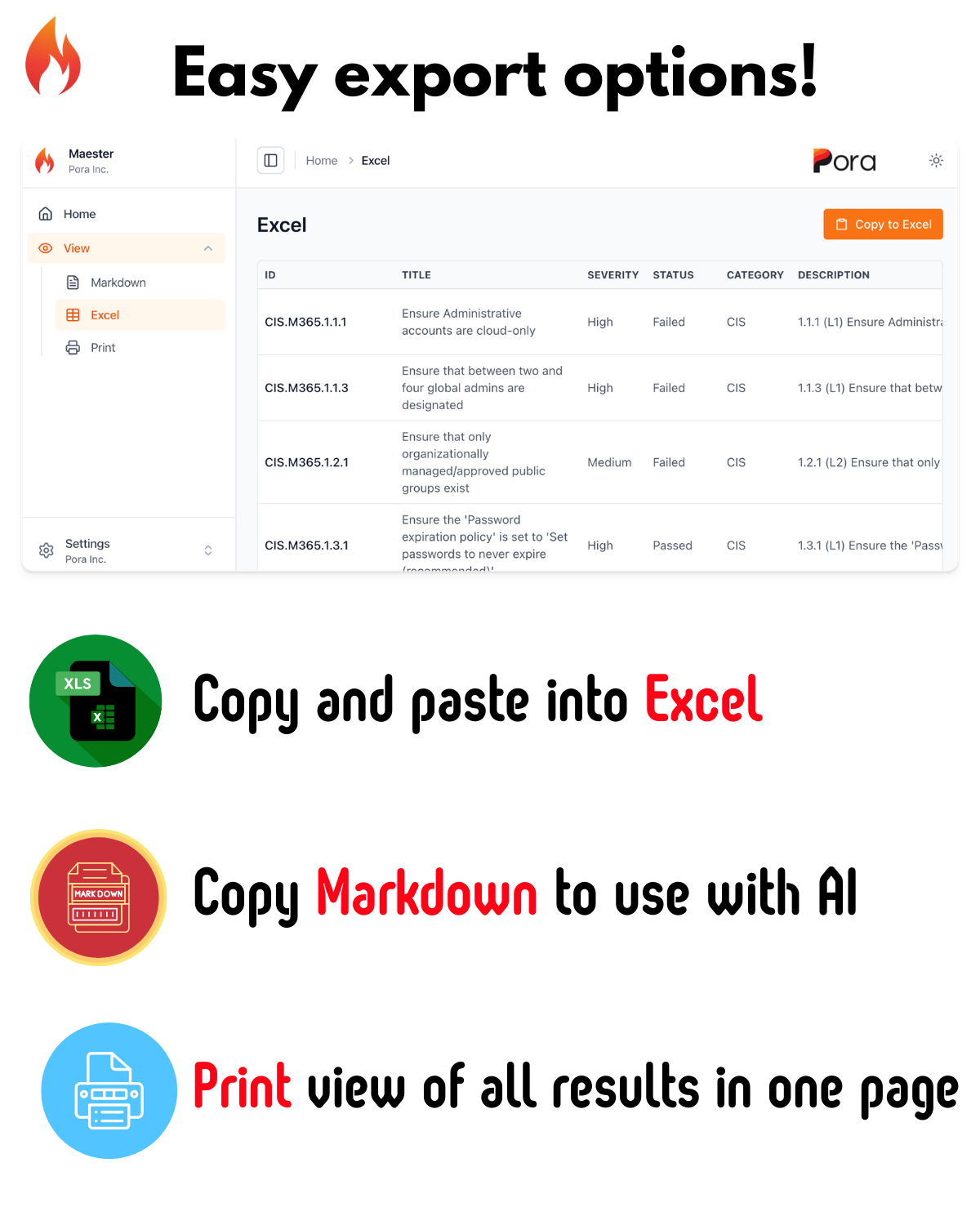
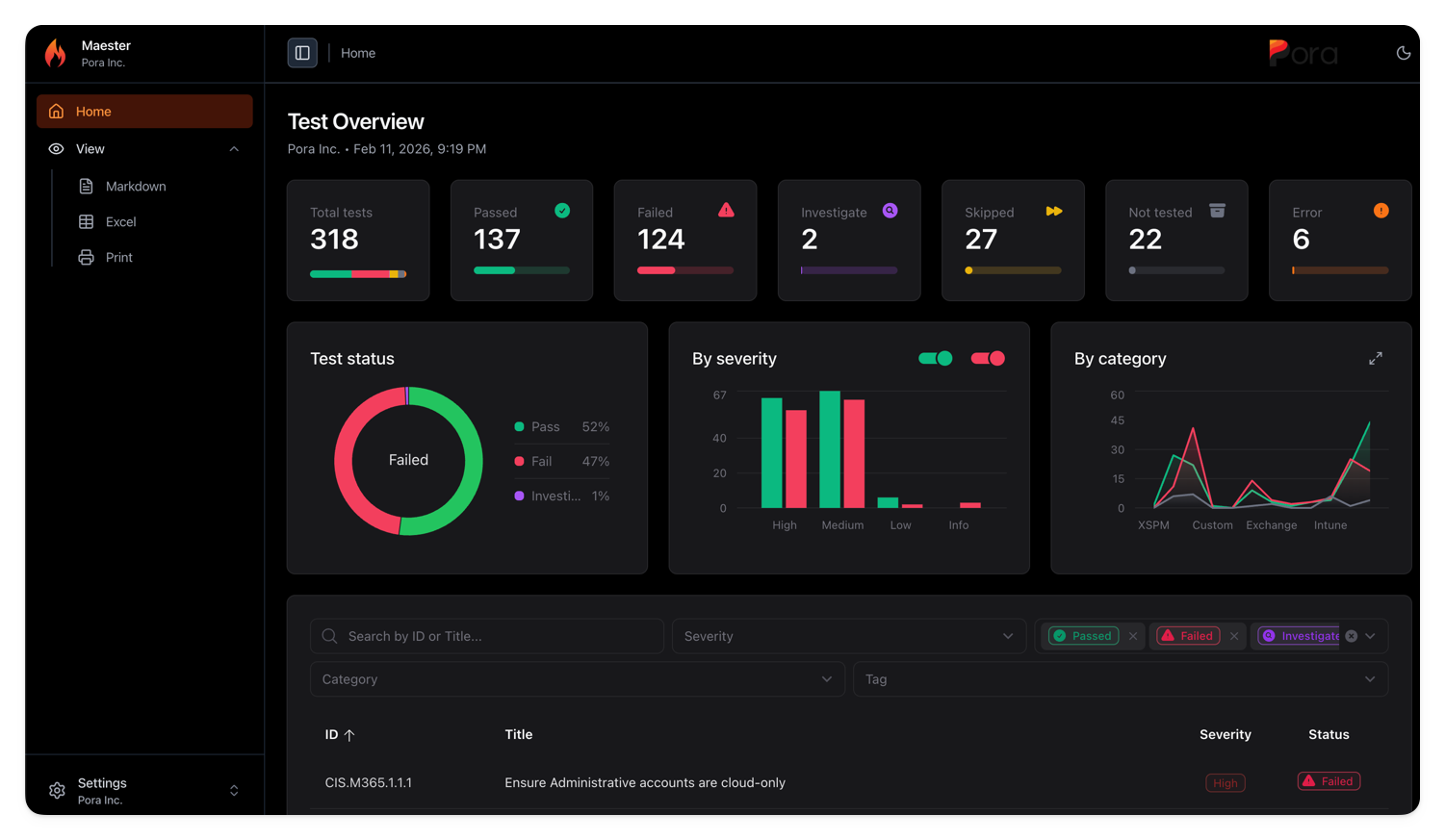
- Brand new reporting capabilities with print, markdown, and Excel export views
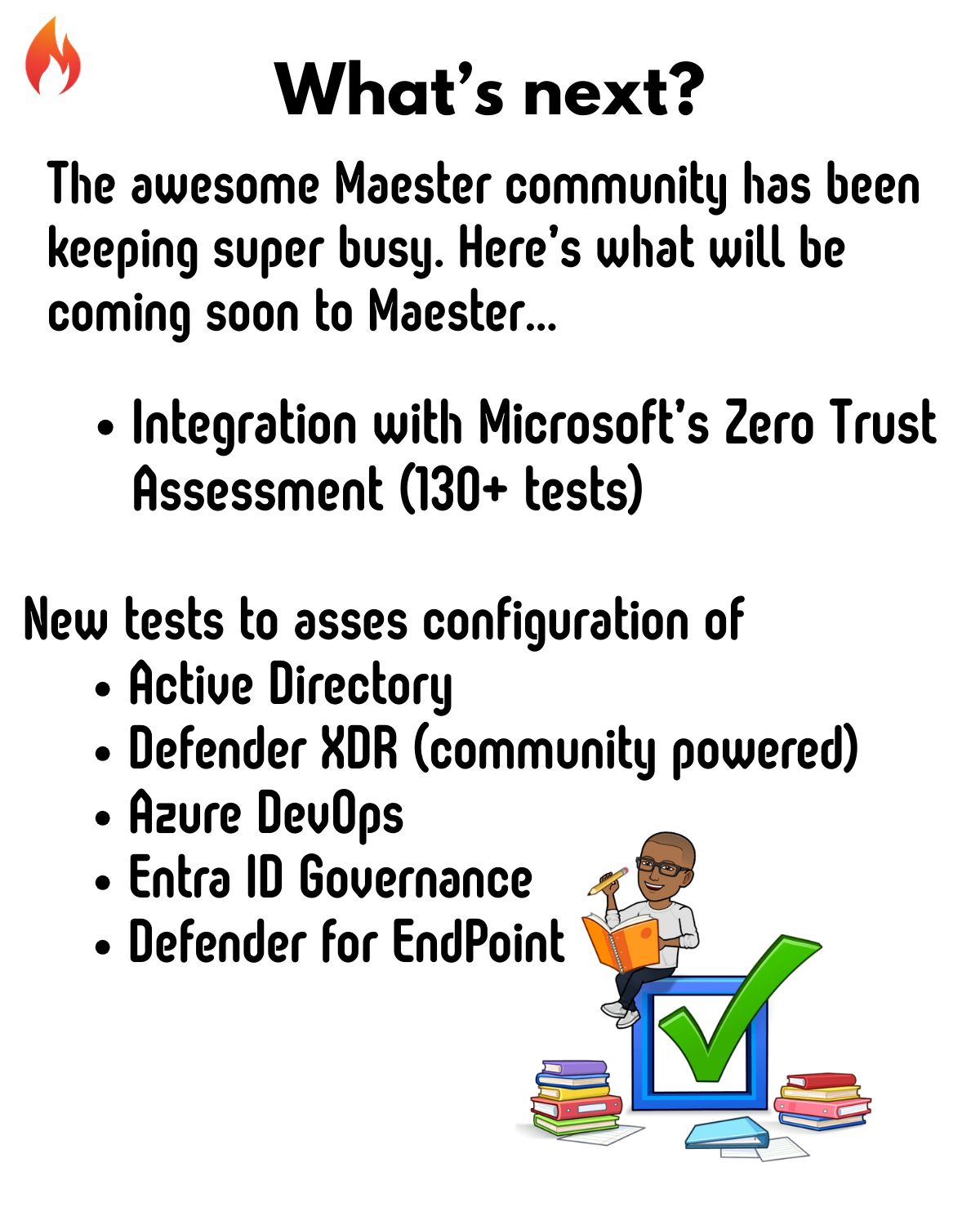
- New Security Tests covering Intune, Entra ID, Conditional Access and Azure
- Microsoft Security Exposure Management (XSPM) Integration - Leverage Defender insights
- Enhanced HTML Report with print, markdown, and Excel export views
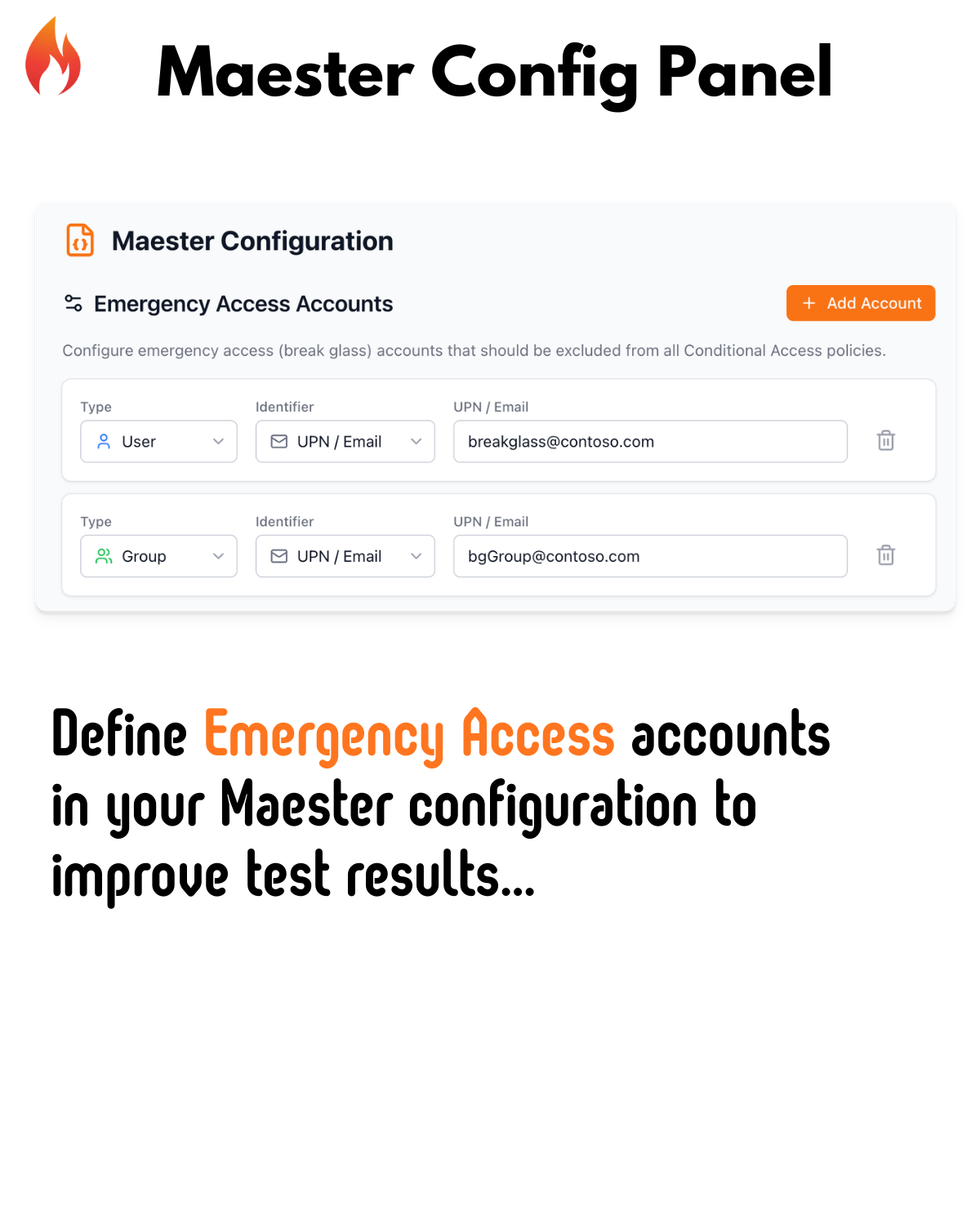
- Emergency Access Accounts Configuration - Define your break-glass accounts
- New Maester App Management Commands - Simplified DevOps pipeline setup
Here's a deeper dive into what's new in Maester 2.0:



New Reporting Capabilities
The Maester report has been completely redesigned with new views and capabilities.
🔐 New Security Tests
We've added over 15 new tests to help you secure your Microsoft 365 environment. Here are the highlights:
Intune Security
| Test ID | Description |
|---|---|
| MT.1053 | Ensure intune device clean-up rule is configured |
| MT.1054 | Ensure built-in Device Compliance Policy marks devices with no compliance policy assigned as 'Not compliant' |
| MT.1092 | Intune APNS certificate should be valid for more than 30 days |
| MT.1093 | Apple Automated Device Enrollment Tokens should be valid for more than 30 days |
| MT.1094 | Apple Volume Purchase Program Tokens should be valid for more than 30 days |
| MT.1095 | Android Enterprise account connection should be healthy |
| MT.1096 | Ensure at least one Intune Multi Admin Approval policy is configured |
| MT.1097 | Ensure all Intune Certificate Connectors are healthy and running supported versions |
| MT.1098 | Mobile Threat Defense Connectors should be healthy |
| MT.1099 | Windows Diagnostic Data Processing should be enabled |
| MT.1100 | Intune Diagnostic Settings should include Audit Logs |
| MT.1101 | Default Branding Profile should be customized |
| MT.1102 | Windows Feature Update Policy Settings should not reference end of support builds |
| MT.1103 | Ensure Intune RBAC groups are protected by Restricted Management Administrative Units or Role Assignable groups |
| MT.1105 | Ensure MDM Authority is set to Intune |
Identity & Access Management
| Test ID | Description |
|---|---|
| MT.1068 | Restrict non-admin users from creating tenants |
| MT.1069 | Restrict non-admin users from creating security groups |
| MT.1070 | Restrict device join permissions to selected users |
| MT.1071 | Ensure Conditional Access policy covers Azure DevOps |
| MT.1073 | Block soft/hard matching for on-prem sync objects |
| MT.1074 | Limit onmicrosoft.com domain usage |
| MT.1075 | Require explicit assignment of third-party Entra apps |
Azure Security
| Test ID | Description |
|---|---|
| MT.1063 | All App Registration owners should have MFA enabled |
| MT.1065 | Ensure Soft Delete is enabled on Recovery Services Vaults |
| MT.1083 | Ensure Delicensing Resiliency is enabled |
Why it matters:
- Prevent shadow IT by restricting tenant and group creation
- Protect your hybrid identity by blocking on-prem sync attacks
- Secure your Azure backup infrastructure
How to use:
# Run all new tests
Invoke-Maester -Tag "MT.1068", "MT.1069", "MT.1070"

# Run all Entra tests
Invoke-Maester -Tag "Entra"
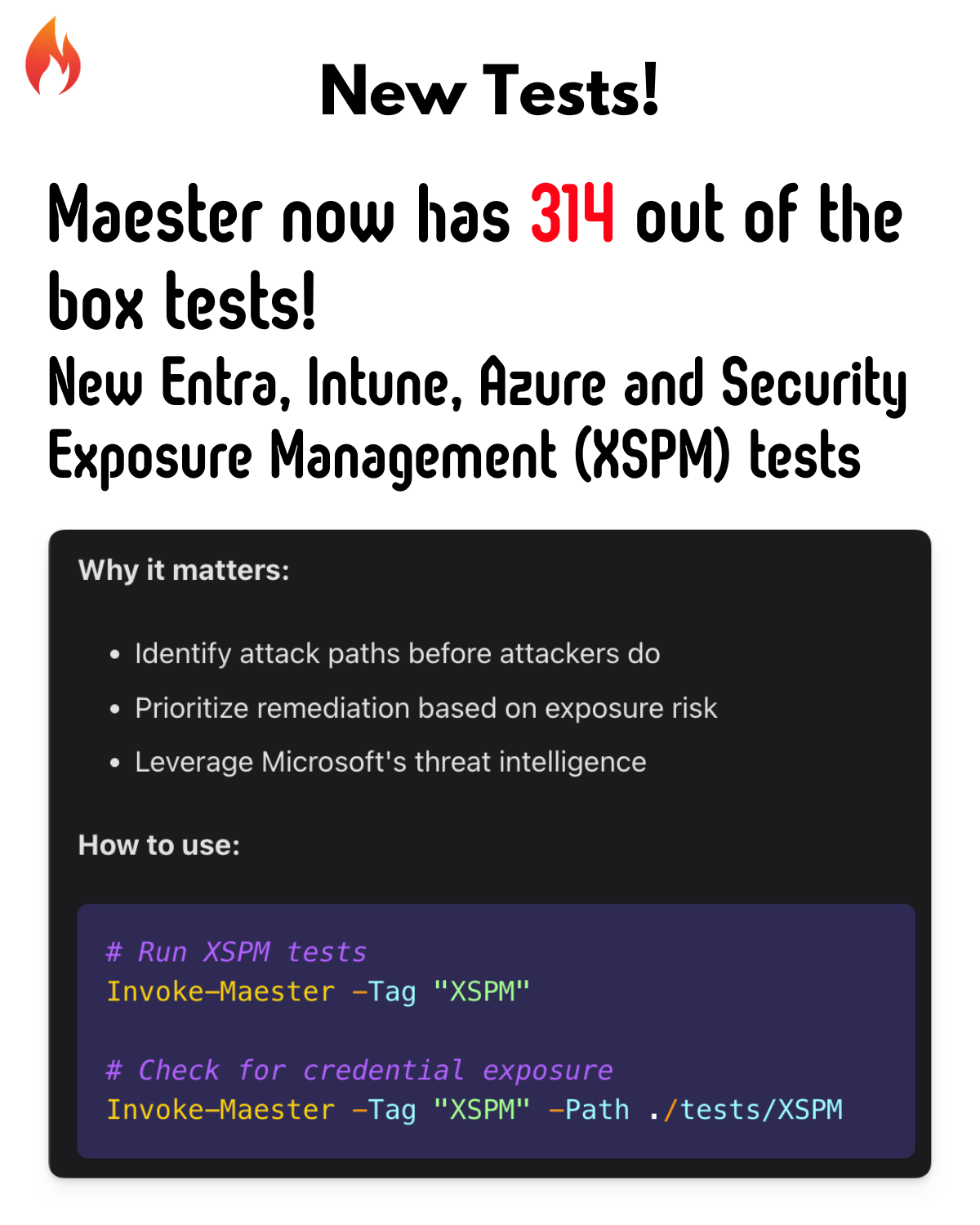
🛡️ Microsoft Security Exposure Management (XSPM) Tests
A brand new category! Integrate with Microsoft Security Exposure Management to test for exposure risks across your environment.
New XSPM Tests
| Test | Description |
|---|---|
| Privileged API Owners | App registrations with privileged API permissions and external owners |
| Privileged Role Owners | Apps with privileged roles and external owners |
| Unused Permissions | Apps with privileged but unused permissions |
| Credential Guard | Devices with critical credentials not protected by Credential Guard |
| TPM Protection | Devices with critical credentials not protected by TPM |
| Exposed Credentials | Privileged users with exposed credentials |
| Hybrid Role Assignments | Hybrid users with assigned Entra ID roles |
| High Exposure Devices | Publicly exploitable devices with high exposure scores |
Why it matters:
- Identify attack paths before attackers do
- Prioritize remediation based on exposure risk
- Leverage Microsoft's threat intelligence
How to use:
# Run XSPM tests
Invoke-Maester -Tag "XSPM"

# Check for credential exposure
Invoke-Maester -Tag "XSPM" -Path ./tests/XSPM
📊 Enhanced HTML Report
The Maester report has been completely redesigned with new views and capabilities.
New Report Features
| Feature | Description |
|---|---|
| Print View | Clean, printer-friendly format for executive reports |
| Markdown Export | Copy results as markdown for docs and tickets |
| Excel Export | Download test results for further analysis |
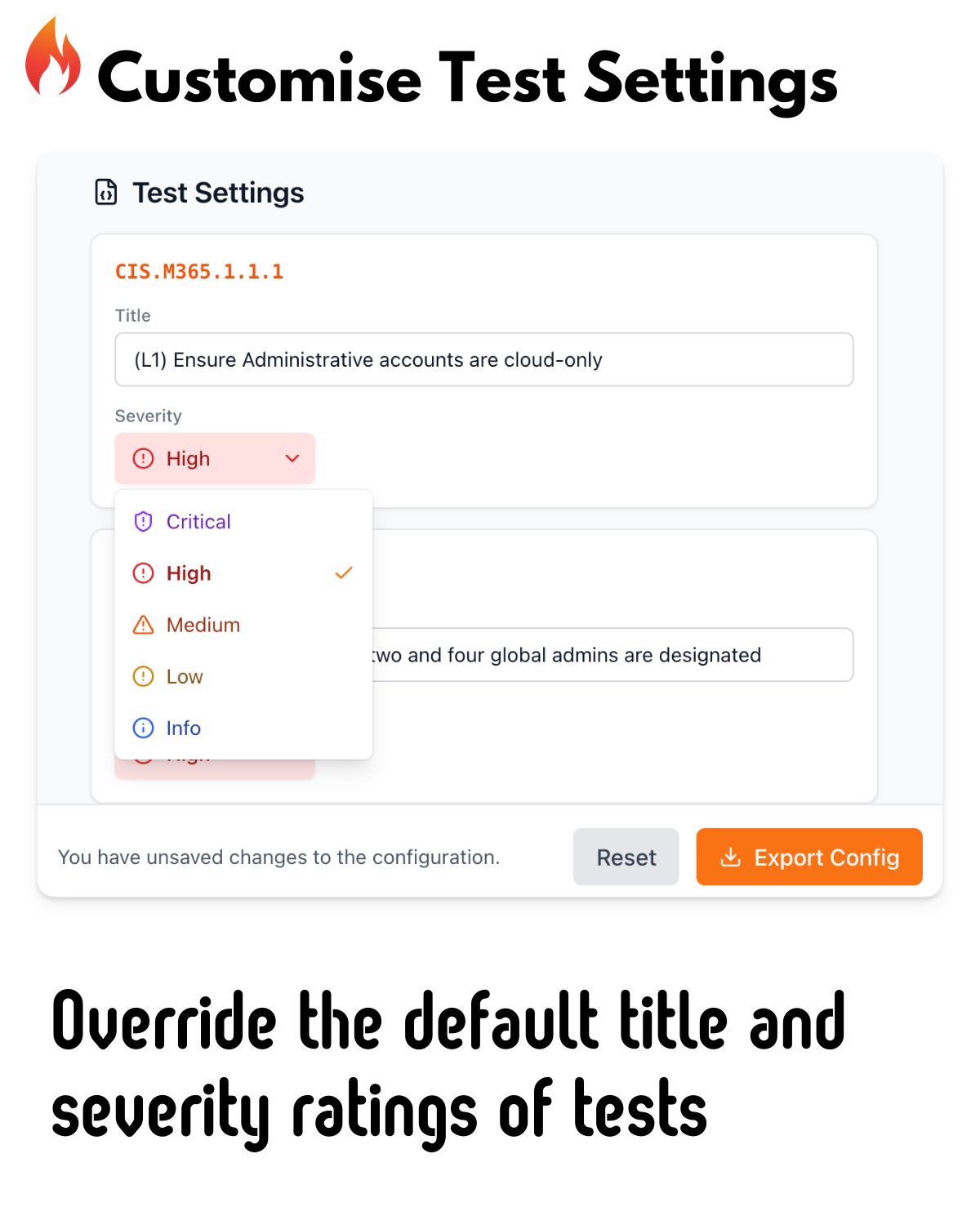
| Config Editor | View and manage test configurations in the report |
| Severity Charts | Visual breakdown of issues by severity |
| Dark Mode | Beautiful dark mode for late-night security reviews |
Why it matters:
- Share results with stakeholders in their preferred format
- Track remediation progress over time
- Present findings to leadership with professional reports
How to use:
# Generate the enhanced report
Invoke-Maester -OutputFolder ./results

# Open the HTML report and explore the new views
# Click the tabs: Print | Markdown | Excel | Config
🚨 Emergency Access Accounts
Define your break-glass accounts in the Maester configuration to improve test accuracy.
Why it matters:
- Tests correctly identify your emergency access accounts
- No more false positives on Conditional Access exclusions
- Audit trail for break-glass account usage
How to use:
Edit your maester-config.json:
{
"GlobalSettings": {
"EmergencyAccessAccounts": [
"break-glass-group-id"
]
}
}
Then run your tests:
Invoke-Maester
# Tests will now recognize your defined emergency access accounts
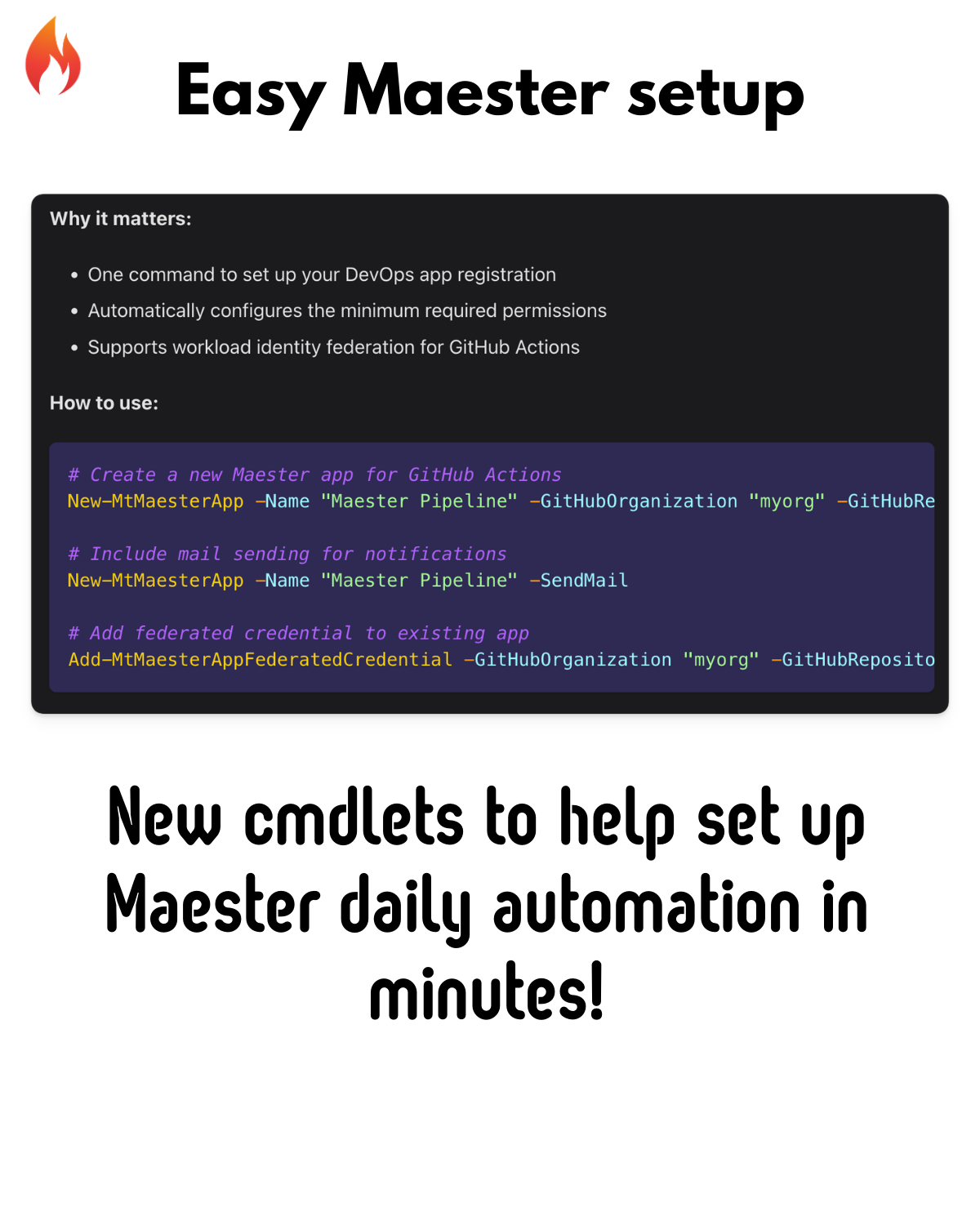
⚡ Maester App Management
New cmdlets to simplify setting up Maester for DevOps pipelines.
New Commands
| Command | Description |
|---|---|
New-MtMaesterApp | Create a Maester app with required permissions |
Get-MtMaesterApp | Retrieve existing Maester app details |
Update-MtMaesterApp | Update app permissions and settings |
Add-MtMaesterAppFederatedCredential | Add GitHub Actions federated credentials |
Why it matters:
- One command to set up your DevOps app registration
- Automatically configures the minimum required permissions
- Supports workload identity federation for GitHub Actions
How to use:
# Create a new Maester app for GitHub Actions
New-MtMaesterApp -Name "Maester Pipeline" -GitHubOrganization "myorg" -GitHubRepository "maester-tests"

# Include mail sending for notifications
New-MtMaesterApp -Name "Maester Pipeline" -SendMail

# Add federated credential to existing app
Add-MtMaesterAppFederatedCredential -GitHubOrganization "myorg" -GitHubRepository "maester-tests"
🔍 Test Inventory Discovery
A new command to discover and explore available tests.
Why it matters:
- Understand what tests are available before running
- Filter tests by tags or capabilities
- Export inventory for documentation
How to use:
# Get all available tests grouped by tag
$inventory = Get-MtTestInventory

# View tests for a specific tag
$inventory['CIS']

# Export inventory to CSV
Get-MtTestInventory -OutputType CSV -ExportPath ./TestInventory.csv
🔧 Improvements & Fixes
Performance
- Optimized
Invoke-MtGraphRequestfor faster batch operations - Improved
ConvertTo-QueryStringwith better null handling
CISA Compliance
- Enhanced CISA test accuracy and reliability
- Individual test IDs for CA What-If analysis
CIS Benchmarks
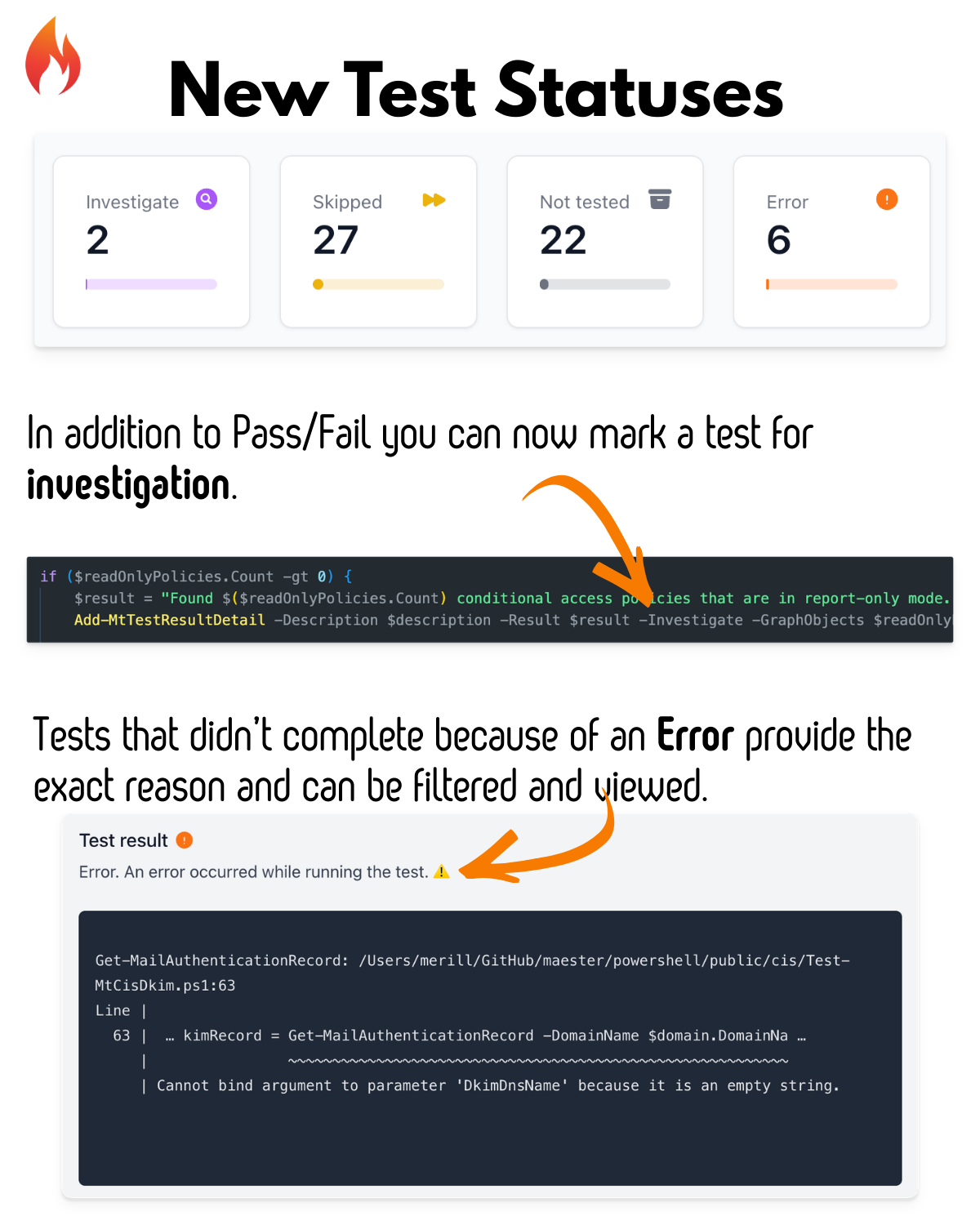
- Improved DKIM test with skip logic for onmicrosoft.com domains
- Cleaner test names without level numbers for better readability
Defender for Identity
- Refactored health issue detection
- Better integration with MDI alerts
🙏 Thank You to Our Contributors
This release wouldn't be possible without our amazing community:
- @tdcthosc - CISA improvements, CIS refactors, Invoke-Maester enhancements
- @f-bader - Emergency access accounts feature
- @HenrikPiecha - MT.1070, MT.1071, MT.1073 tests
- @marcel-ngn - MT.1068, MT.1069 tests
- @RobbeVandenDaele - XSPM device checks
- @SamErde - Bug fixes and workflow improvements
- @brianveldman - Azure security tests
- @l-gosling - GitLab and Teams integration
- @kij - HTML report improvements
- And many more!
🚀 Get Started
Update to Maester 2.0 today:
# Update the Maester module
Update-Module Maester -Force

# Update your test files
cd maester-tests
Update-MaesterTests

# Run the tests with the new features
Invoke-Maester
📚 Learn More
Have feedback or found a bug? Open an issue on GitHub!
Happy testing! 🎉